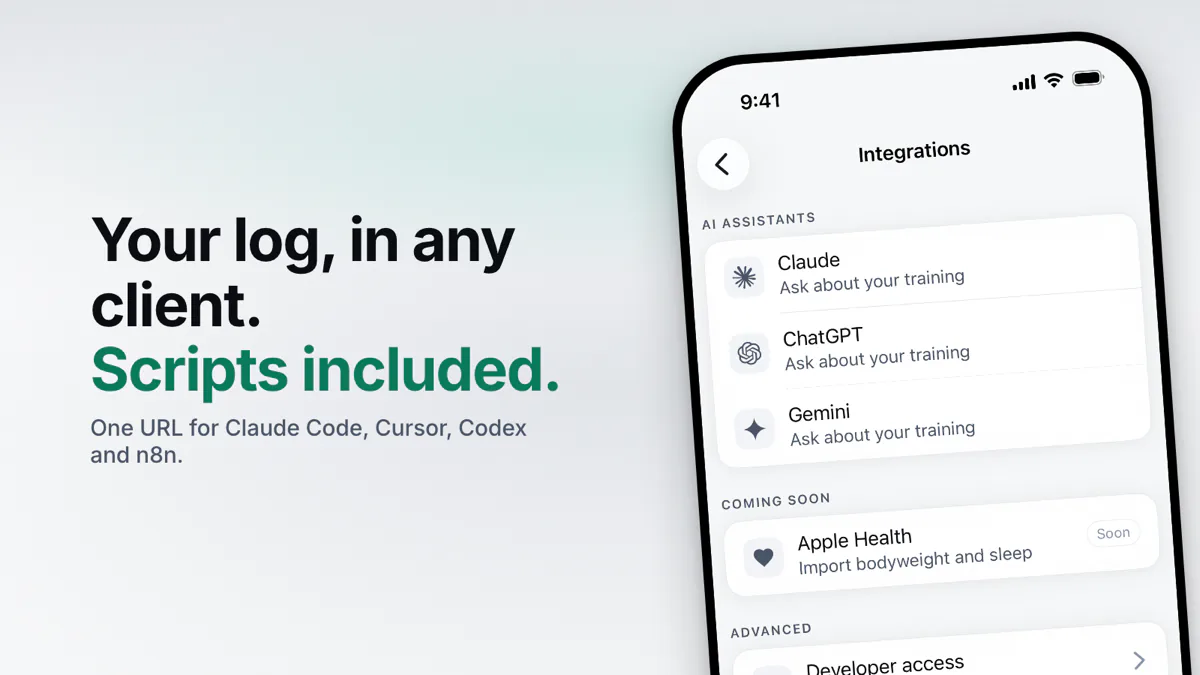
Add Povver's MCP server, https://mcp.povver.ai/mcp, to your client and it can read your workout log. In Claude Code, run claude mcp add --transport http povver https://mcp.povver.ai/mcp, then /mcp and sign in with your Povver account. Cursor, Codex and VS Code take the same URL in their config files, shown below. n8n and scripts can't open a browser, so they send a Povver API key (pvk_) as a Bearer token: n8n takes it in its MCP Client Tool node. You need a Povver trial or subscription, and the 14-day trial includes it. Povver is a strength training app for iPhone, and the server gives a client your sets, lift trends and weekly volume and lets it edit your routines. If you want a chat window instead, Claude, ChatGPT and Gemini have their own walkthroughs.
What can you do with your workout log in a client you can script?
Your log has every set you have done. In a client you can schedule or script, it can come to you instead of waiting for you to open the app:
- On Sunday evening a message arrives with the lift that stalled, the sessions you kept and the muscle groups that fell short. You didn't ask for it.
- You train in a hotel gym with no phone in your hand, write the session in a notebook, and the next morning it can become a logged workout.
- Every set you have ever logged lands in a spreadsheet or BigQuery, one row per set, so you can pivot it however you like.
- An agent can put a wearable's MCP server beside Povver, so one question can draw on both: did the bench stall in the weeks you slept badly?
Each of these is a few lines of script or a sentence to an agent.
How do I connect Claude Code, Cursor, Codex or VS Code to my workout log?
Any client that supports remote MCP servers over Streamable HTTP takes the same URL. Povver supports dynamic client registration, so you don't create a client ID or secret first.
Claude Code
claude mcp add --transport http povver https://mcp.povver.ai/mcp
Then run /mcp inside Claude Code and sign in.
Cursor, in ~/.cursor/mcp.json:
{
  "mcpServers": {
    "povver": { "url": "https://mcp.povver.ai/mcp" }
  }
}
VS Code, in .vscode/mcp.json, then start the server from the file:
{
  "servers": {
    "povver": { "type": "http", "url": "https://mcp.povver.ai/mcp" }
  }
}
Codex, in ~/.codex/config.toml, then run codex mcp login povver:
[mcp_servers.povver]
url = "https://mcp.povver.ai/mcp"
Any other client: add a remote MCP server over Streamable HTTP with the URL above and sign in. These steps come from each client's own documentation. Cursor asks before it runs an MCP tool unless you change its run mode.
Then ask something only your log can answer: "Which of my lifts is stalling?" On the example log it's the barbell bent-over row, with its change over the last eight weeks beside it. There is no need to name Povver in the question. The client reaches for it when the answer needs your log.
Should I sign in or use an API key?
Sign in when you are at the keyboard, and use a key for anything unattended. Both reach the same data, and Povver checks the subscription on every request.
A key starts with pvk_ and is shown once, because Povver stores only its hash. Create one in the Povver app under Profile, then Integrations, then Advanced, then Developer access, and name it for the job. The limit is five, and each is revoked from the same screen. Povver's judgment: use one key per automation and keep it in an environment variable or a secret store, not in a config file you commit. If a key leaks, revoke it and issue a new one. The other four jobs keep running. A key is not limited to reading: anyone with it can change your routines, plans and workouts, so treat it like a password.
To check a key from a shell, ask the server what it offers. A working key returns a JSON list of tools:
curl -s -X POST https://mcp.povver.ai/mcp \
  -H "Authorization: Bearer $POVVER_KEY" \
  -H "Content-Type: application/json" \
  -H "Accept: application/json, text/event-stream" \
  -d '{"jsonrpc":"2.0","id":1,"method":"tools/list"}'
Claude Code and Codex can send the same key instead of opening a browser. Claude Code takes --header 'Authorization: Bearer ${POVVER_KEY}' on the claude mcp add line. Use single quotes: in double quotes your shell expands the variable and Claude Code stores the key itself in its config file. Run claude mcp get povver and check that it shows ${POVVER_KEY} and not the key. Codex takes bearer_token_env_var = "POVVER_KEY" in its config table.
How do I connect n8n?
Add an MCP Client Tool node to an AI Agent, paste the URL, set Authentication to Bearer and paste a key. n8n's documentation for the node describes an SSE endpoint, but Povver's server speaks Streamable HTTP, so set the node's transport to HTTP Streamable. If your n8n version only offers SSE, update n8n first.
A workflow with no AI agent is simpler. The server is stateless, so a single HTTP Request node does the same job with no handshake first: POST the JSON-RPC body from the curl check above to https://mcp.povver.ai/mcp, with the headers Authorization: Bearer <key>, Content-Type: application/json and Accept: application/json, text/event-stream. The answer comes back as one server-sent event (event: message, then data: {json}), so parse the data: line, as both scripts below do. In n8n, put the key in a credential (Header Auth, name Authorization, value Bearer followed by the key), not in the node: exported workflows carry node fields but not credentials. An AI Agent node can call every tool the key allows, writes included, and text it reads can steer it. For an unattended workflow, the HTTP Request node calls only what you send.
Why connect a client instead of a chat app?
For a question about your log, a chat app does the job, and the three walkthroughs above are quicker. The four ideas at the top need a client you can schedule or script. Here is how each one works.
A weekly review that is sent to you
The script reads four views of the log and prints what you would otherwise open the app to check: days since your last session, sessions kept against your goal, any stalling lift and the muscle groups outside their volume range. Run it from cron or an n8n schedule on Sunday evening and send the output to Telegram, email or a note. Run daily, its first line also tells you when the gap since your last workout is getting long. It needs Node 18 or newer and a key in POVVER_KEY.
const URL = 'https://mcp.povver.ai/mcp';
const KEY = process.env.POVVER_KEY;
if (!KEY) throw new Error('Set POVVER_KEY to a pvk_ key');

async function tool(name, args) {
  const res = await fetch(URL, {
    method: 'POST',
    headers: { Authorization: `Bearer ${KEY}`, 'Content-Type': 'application/json', Accept: 'application/json, text/event-stream' },
    body: JSON.stringify({ jsonrpc: '2.0', id: 1, method: 'tools/call', params: { name, arguments: args } }),
  });
  if (!res.ok) throw new Error(`Povver answered ${res.status}: ${await res.text()}`);
  const body = await res.text();
  // The answer arrives as one server-sent event: "event: message", then "data: {json}".
  const line = body.split('\n').find((l) => l.startsWith('data:'));
  const reply = JSON.parse(line ? line.slice(5) : body);
  if (reply.error || reply.result?.isError) throw new Error(JSON.stringify(reply.error ?? reply.result));
  return JSON.parse(reply.result.content[0].text);
}

const [climb, status, muscles, insights] = await Promise.all([
  tool('analyze_training', { view: 'strength_climb' }),
  tool('analyze_training', { view: 'status', weeks: 4 }),
  tool('analyze_training', { view: 'muscle_state' }),
  tool('analyze_training', { view: 'insights' }),
]);

const stalling = (climb.all_lifts ?? []).filter((l) => l.state === 'stalling');
const groups = Object.values(muscles.groups ?? {}).filter(Boolean);
const outside = groups.filter((g) => ['below_mev', 'above_mrv'].includes(g.volume_zone_v2 ?? g.volume_zone));
const weeks = (status.adherence?.weeks ?? []).slice(-4);

const out = [];
out.push(status.days_since_last_workout == null
  ? 'No workout logged yet.'
  : `Last workout ${status.days_since_last_workout} day${status.days_since_last_workout === 1 ? '' : 's'} ago. Next: ${status.next_workout?.template_name ?? 'no routine set'}.`);
if (weeks.length) out.push(`Last ${weeks.length} weeks: ${weeks.map((w) => `${w.completed}/${w.goal}`).join(', ')} sessions.`);
out.push(stalling.length
  ? `Stalling: ${stalling.map((l) => l.name).join(', ')}.`
  : 'No lift is stalling.');
// Volume is counted per week, so early in the week every group reads below its minimum.
out.push(insights.days_into_week < 7
  ? `Volume: the week is only ${insights.days_into_week} day(s) old, so run this on Sunday.`
  : !groups.length
  ? 'No muscle-group volume yet.'
  : outside.length
  ? `Outside the volume range: ${outside.map((g) => `${g.muscle_group} (${(g.volume_zone_v2 ?? g.volume_zone).replace('_', ' ')})`).join(', ')}.`
  : 'Every muscle group is inside its volume range.');
console.log(out.join('\n'));
Run on the example log on a Monday, it printed:
Last workout 3 days ago. Next: Lower A.
Last 4 weeks: 4/4, 4/4, 3/4, 0/4 sessions.
Stalling: Bent Over Row (Barbell).
Volume: the week is only 1 day(s) old, so run this on Sunday.
Povver counts hard sets per week, and a muscle group with fewer than four counts as below its minimum (a set that only involves the muscle counts as half). So on a Monday every group reads below it, which is why the script checks the day. The 0/4 in the second line is the week so far.
A session you trained away from your phone
A notebook page from a hotel gym, a note on your phone, a text to your training partner: paste it into the client and ask for it as a finished workout. Povver accepts up to 25 finished workouts in one request, so a few weeks of notebook pages go in together. Read the draft before you confirm it. The client is working from your notes, not a machine export. Coming from another app instead? Import your history.
Your sets in a spreadsheet or BigQuery
Plenty of lifters keep a sheet beside the app, with their own pivot tables and charts. This script writes every logged set to a CSV, one row per set, with weight in kilograms and estimated 1RM. A request covers one muscle group or up to ten lifts, and no request lists every lift you have trained. So the script walks the lifts you trained lately and each of the ten muscle groups, then keeps one row per set.
// Start with the URL, KEY and tool() helper from the weekly review script above.
const sets = new Map(); // set_id -> row

async function walk(target) {
  let cursor;
  do {
    const page = await tool('analyze_training', { view: 'sets', ...target, limit: 200, sort: 'date_asc', ...(cursor && { cursor }) });
    for (const row of page.data) sets.set(row.set_id, row);
    cursor = page.truncated ? page.next_cursor : undefined;
  } while (cursor);
}

const { exercises } = await tool('analyze_training', { view: 'trained_exercises' });
const ids = exercises.map((e) => e.exercise_id);
for (let i = 0; i < ids.length; i += 10) await walk({ exercise_ids: ids.slice(i, i + 10) });
for (const group of ['chest', 'back', 'shoulders', 'quads', 'hamstrings', 'glutes', 'biceps', 'triceps', 'calves', 'abs']) {
  await walk({ muscle_group: group });
}

const COLUMNS = ['workout_date', 'exercise_id', 'exercise_name', 'set_index', 'reps', 'weight_kg', 'rir', 'e1rm', 'duration_s', 'distance_m', 'set_id'];
const cell = (v) => (v == null ? '' : /[",\n]/.test(String(v)) ? `"${String(v).replace(/"/g, '""')}"` : String(v));
console.log(COLUMNS.join(','));
for (const row of [...sets.values()].sort((a, b) => a.workout_date.localeCompare(b.workout_date) || a.set_id.localeCompare(b.set_id))) {
  console.log(COLUMNS.map((c) => cell(row[c])).join(','));
}
Export the key without leaving it in your shell history (read -rs POVVER_KEY; export POVVER_KEY), then run node sets-to-csv.mjs > sets.csv. A cron job should read it from a secret store or an environment file only you can read. On the example log on 19 October 2026 it wrote 676 rows, matching the log's count of working sets. Google Sheets takes the CSV through File, then Import. BigQuery loads it with bq load --autodetect --source_format=CSV --skip_leading_rows=1 dataset.sets sets.csv. Weekly, an n8n schedule can append the newest rows to a Google Sheet. The script sends the sets nowhere but your machine, so reading every one of them costs no tokens. With an agent such as Claude Code or Cursor, the results go to that client's model provider. In a chat you would ask for the weekly summaries instead, as the Claude post does.
Warm-ups are left out. A set can involve several muscles, so it turns up in more than one muscle-group walk, and the script keeps it once.
Training next to sleep and recovery
An agent can use several servers at once. Withings, Oura, WHOOP, Garmin and Strava all have MCP servers, and Glama's Fitness Tracking list shows each as community-built. Connect one beside Povver and a question such as "did my bench stall in the weeks I slept under seven hours?" can draw on both. The Claude post walks through the same idea in a chat window.
What can a client read and change?
A client can read every logged set, plus what Povver works out from them: whether each lift is progressing, holding or stalling, estimated 1RM by week, and hard sets per muscle against their range. It can write routines, templates, finished workouts, injury notes and the periodization plan, and act on a workout in progress. Deleting a whole workout, routine or template is the one action marked destructive, and the server refuses it unless the request sets confirmed to true. Chat and agent clients usually ask you first and then set it. A script or an n8n workflow with a key sets it without asking anyone. The flag guards against accidents, not against someone who has your key. The tool list changes as Povver does, so ask the server what it offers today with the tools/list request above.
What does a failed connection look like?
| What you sent | What comes back |
|---|---|
| No Authorization header | 401, Missing Authorization header |
| A key that doesn't exist or was revoked | 401, a message that begins This Povver MCP API key is invalid or has been revoked. |
| A valid key after the trial or subscription ended | 403, a message that says Povver Premium is required or that your subscription has expired |
Responses from mcp.povver.ai on 19 October 2026. The two 401 rows were observed. The 403 comes from the server's subscription check, which runs on every request, and its wording is read from the code.
Once it is connected, strength training with Claude, ChatGPT and Gemini lists the questions worth asking and what each one changes.
Last reviewed 19 October 2026. Cite as: Povver, "Use your workout log in Claude Code, Cursor, Codex or n8n", povver.ai/blog/mcp-training-log, 2026.
Connecting a workout log to an MCP client: common questions
How do I connect Claude Code to my workout log?
Run claude mcp add --transport http povver https://mcp.povver.ai/mcp, then type /mcp inside Claude Code and sign in with your Povver account. For a script, create an API key in the Povver app and send it as an Authorization Bearer header on the same command.
Does Povver have an MCP server for Cursor?
Yes. Add "povver": { "url": "https://mcp.povver.ai/mcp" } under mcpServers in ~/.cursor/mcp.json and sign in when Cursor asks. By default Cursor asks before it runs an MCP tool.
Do I need an API key to connect Povver to an MCP client?
No. Clients that can open a browser sign you in with OAuth. Scripts, cron jobs and n8n can't, and that's what a key is for. Create one in the Povver iOS app under Profile, Integrations, Advanced, Developer access.
Does Povver work with n8n?
Yes. Use the MCP Client Tool node with the URL https://mcp.povver.ai/mcp, Bearer authentication and an API key, with the transport set to HTTP Streamable. An HTTP Request node also works: POST a JSON-RPC tools/call body to the same URL with an Authorization Bearer header and an Accept header of application/json, text/event-stream, then read the data line of the reply. The curl example earlier in the post shows the request.
Can a script change my workouts?
Yes. A key reaches the same writes as a signed-in client: routines, templates, finished workouts, injury notes and the periodization plan. Starting a workout happens in the app, so a script can't do it. Deleting a whole workout, routine or template is a separate action: the server refuses it unless the request sets confirmed to true. Chat and agent clients usually ask you first and then set it, and a script with a key sets it without asking anyone. The flag guards against accidents, not against someone who has your key, so use one key per script and revoke it when you are done.
What happens to my key when the trial ends?
It stops working. Povver checks the trial or subscription on every request, so the key returns a 403 once it has ended and works again when you subscribe.
How do I revoke an API key?
In the Povver iOS app, go to Profile, Integrations, Advanced, Developer access and revoke the key there. Its next request fails.
Sources
- Model Context Protocol, specification (Streamable HTTP transport). modelcontextprotocol.io/specification
- Anthropic, Connect Claude Code to tools via MCP. code.claude.com/docs/en/mcp
- Cursor, Model Context Protocol. cursor.com/docs/context/mcp
- OpenAI, Codex, Model Context Protocol. learn.chatgpt.com/docs/extend/mcp?surface=cli
- Microsoft, Add and manage MCP servers in VS Code. code.visualstudio.com/docs/copilot/customization/mcp-servers
- n8n, MCP Client Tool node. docs.n8n.io/integrations/builtin/cluster-nodes/sub-nodes/n8n-nodes-langchain.toolmcp/
- Glama, Fitness Tracking MCP servers. glama.ai/mcp/categories/fitness-tracking
