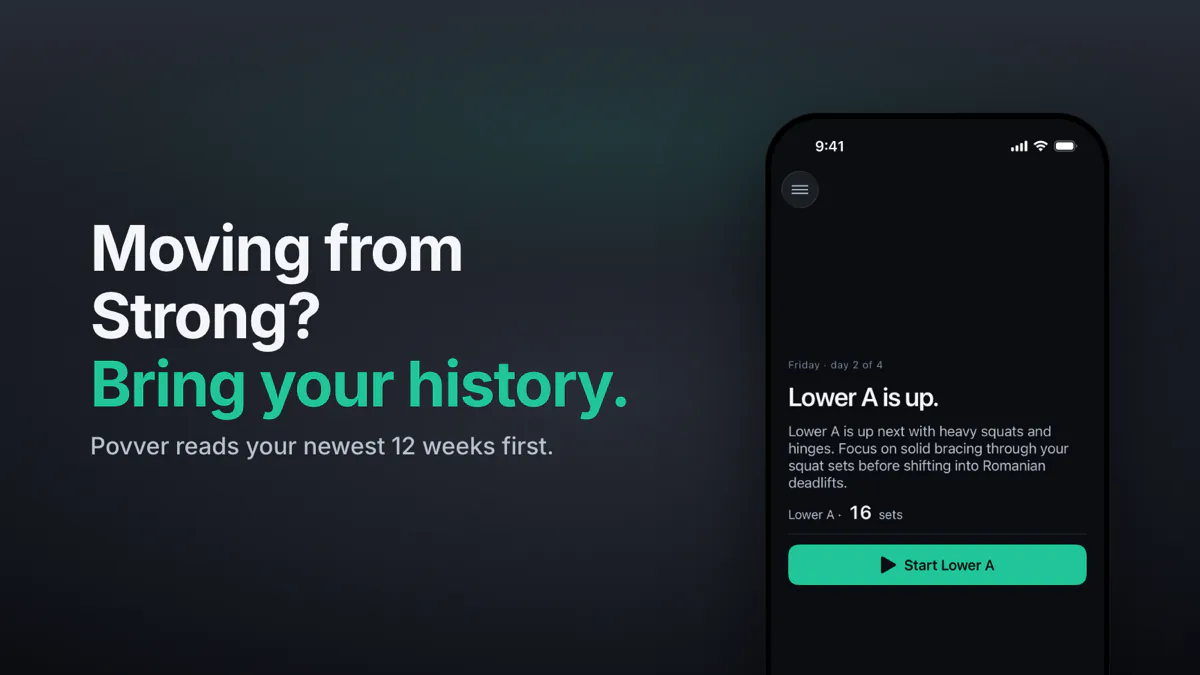
Strong vs Povver: Strong records your sets, and Povver acts on them. Every set you log changes your next workout. A good session raises the weight, and a miss or a layoff lowers it. Povver starts from your Strong history and connects to Claude. We make Povver.
Progress in the gym shouldn't take a science degree or a spreadsheet. You log every set, then pick the next weight by feel, the way you did before you logged anything. Povver does that part for you.
Strong or Povver: which should you use?
Pick Povver if you want the app to set your next weight and plan the week. Pick Strong if you want a free, quiet notebook, the Apple Watch or Android.
| You want | Pick |
|---|---|
| The app to set your next weight after every session | Povver |
| Weekly sets per muscle checked against a range, and deloads planned | Povver |
| To start from your Strong history, not from zero | Povver |
| Claude to build, edit and review your training | Povver |
| A free logger, Apple Watch or Android | Strong |
How does Povver choose your next weight?
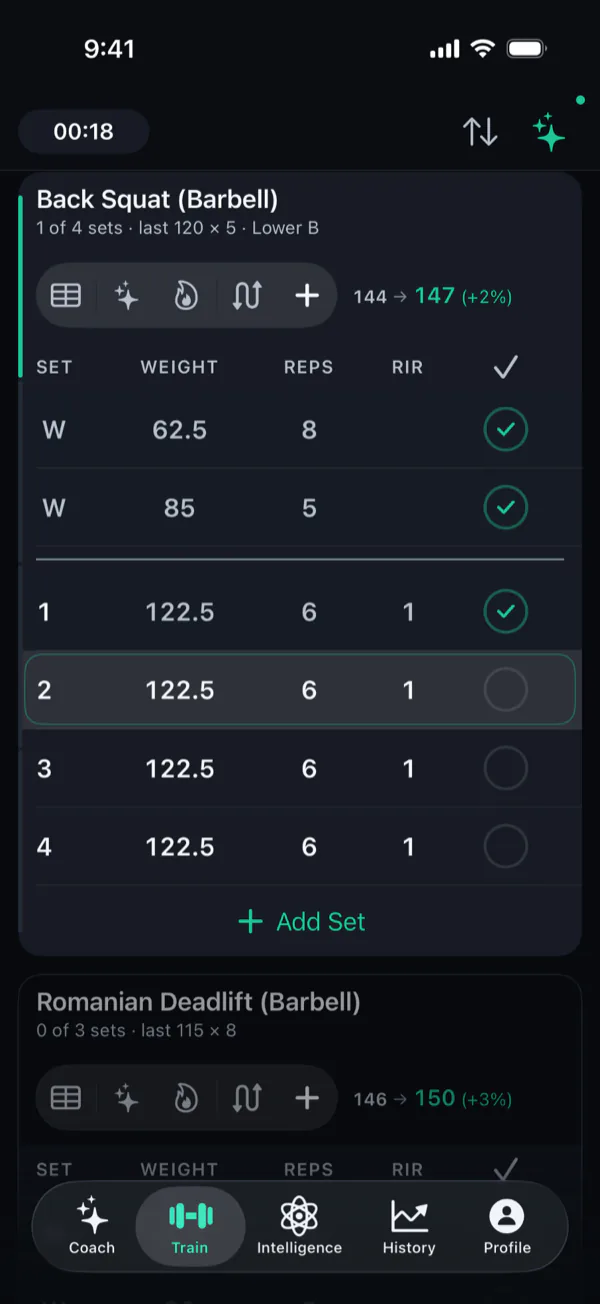
Povver sets your next weight and rep targets for every lift the moment you finish a workout, from the reps and the reps in reserve (RIR) of each set.
One good session can raise a weight. A clear miss, or two very hard sessions at the same weight, brings it back down, and after three weeks or more off a lift the first session back starts lighter. The step is sized from how much you had in reserve, so an easy set moves a weight further than a grind does.
Each suggestion carries a short reason on its card. With auto-pilot on, small changes apply themselves and bigger ones wait for your tap. How the weights are set is described on how it works.
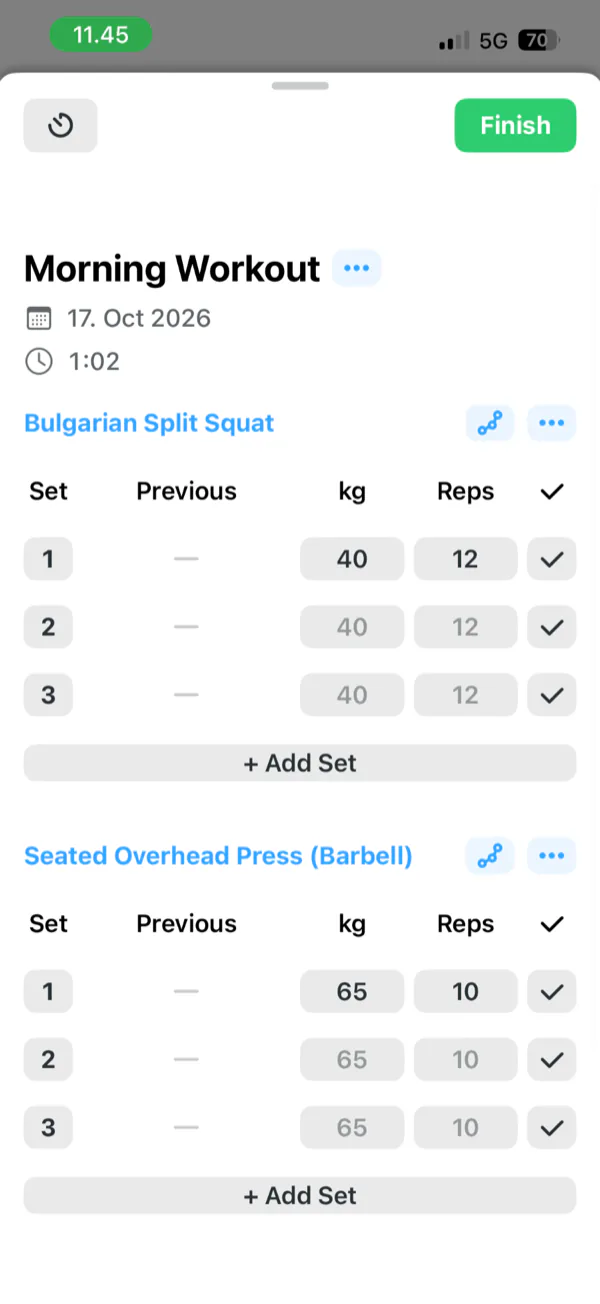
Strong's help pages map RPE to reps in reserve, then say logging it lets you "increase the resistance" next time. You still pick the number. After a workout Strong offers to save the weights you used into the template. It does not suggest a weight, so the next number is your decision every time.
What does each app show you about your progress?
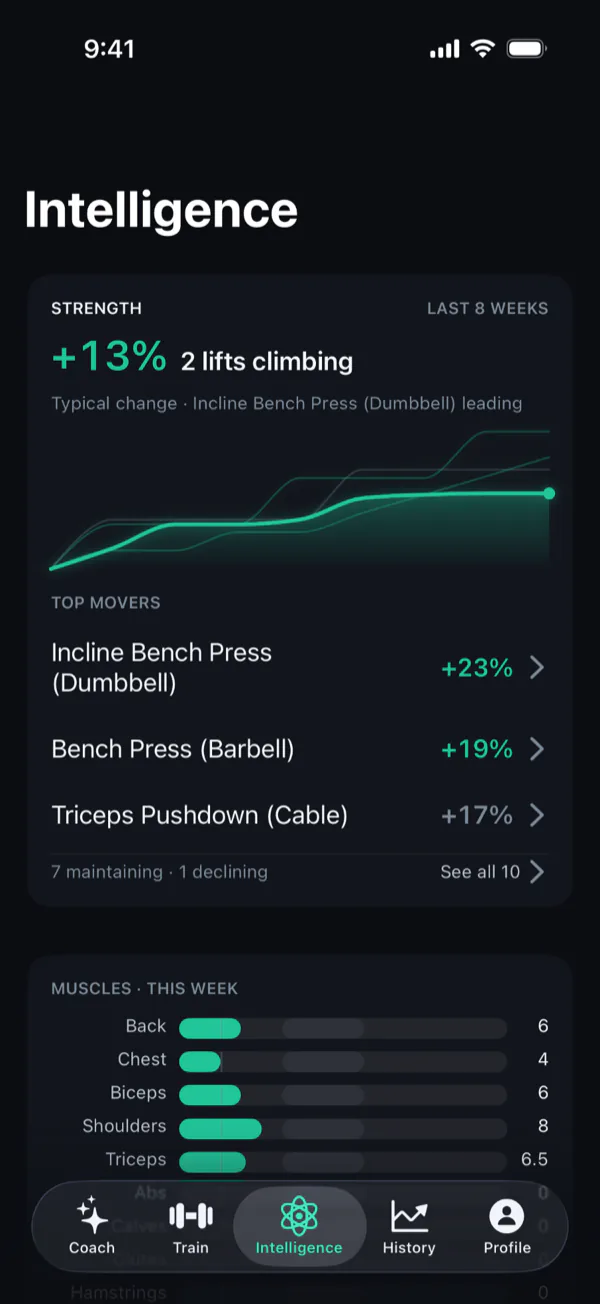
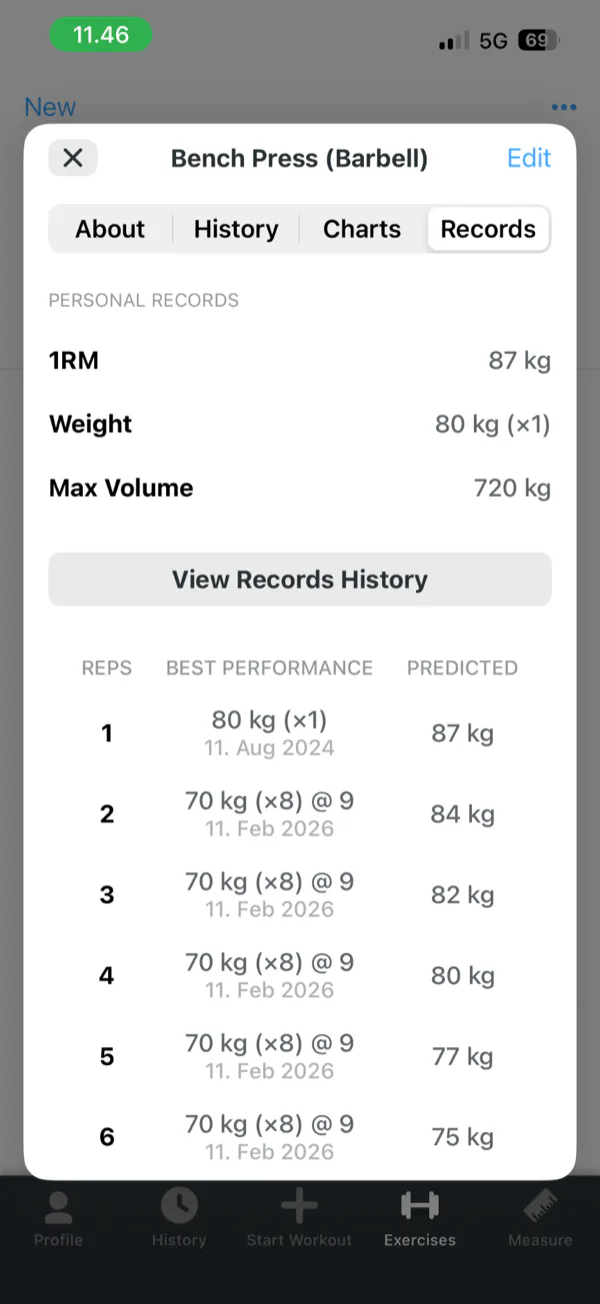
Strong has good charts: an estimated one-rep max and volume per exercise, plus a records table with a predicted best for each rep count and a workouts-per-week count. Its exercise charts are PRO. Povver's Intelligence tab opens on one answer: how much stronger you are over the last eight weeks, which lifts are climbing, maintaining or declining, and the sets each muscle got this week.
How does Povver handle weekly volume, deloads and injuries?
Povver checks weekly volume against a range and plans a deload week at the end of each block. It also stops pushing lifts that load an injured area. Strong has no muscle heat map, and its help centre describes no per-muscle volume, deload or injury setting.
Volume. Povver counts the hard sets each muscle gets in a week, with a set that only helps a muscle counting as half, and checks the count against one range for every muscle. The Intelligence tab lays every muscle against that range, with counts like 7.5. A muscle that falls short or runs far past the range gets a flag and a proposed fix. Strong's volume is per exercise and per workout, with no muscle heat map and no weekly count per muscle described.
Deloads. Povver's block plans end with a deload week of about half the sets at lighter weights. If your training load climbs fast for two weeks, Povver can suggest a deload sooner. Strong's pages describe no deload.
Injuries. Tell the coach about an injury and Povver stops proposing heavier work on lifts that load that area, then brings the work back after pain-free sessions. Strong's help pages describe no injury setting.
What can you do with Claude in Povver?
Povver connects to Claude, so the assistant and the app work on one training log. Ask Claude for a routine or a one-off workout and it is created in Povver. Make the routine your active one, which Claude can do for you, and Povver progresses it from the sets you log.
You can swap exercises as you go and bring the results back to Claude to review and adjust. Claude gets numbers Povver has already computed: each lift's trend, weekly sets per muscle against the range, your strength climb and the open recommendations. It does not have to read raw sets, and it can change your workouts, routines and training plan. Connect Claude to your workout log walks through it with an example.
Povver computes the numbers and Claude reasons over them:
| Layer | What it does |
|---|---|
| Claude | Picks what matters, explains it and suggests the next move |
| Povver | Computes each lift's trend, hard sets per muscle against the range and the recommendations. The same log gives the same answer |
| Your log | Every set you log, in any routine |
How Claude and Povver split the work.
Strong has no official API and no Claude or ChatGPT connection that we found. You can hand Claude a CSV export, and a model reading raw sets has to do that arithmetic itself. On one real account, about 45 sets a week, twelve weeks of raw set records come to roughly 540 sets:
| What Claude reads | Roughly, in tokens |
|---|---|
| Every set as a raw record | 60,000 |
| Povver's full weekly review and insights | 14,000 |
| Povver's strength climb, the answer to "am I getting stronger?" | 1,000 |
Estimated from one account: about 110 tokens per raw set record and four characters per token. A rough guide, not a benchmark.
Less to read means faster answers and lower usage.
Community tools exist that sign in to Strong's private backend with your email and password so an assistant can read or write your workouts. Their own READMEs warn that this can get an account terminated.
Setup for Povver is a custom connector in Claude (mcp.povver.ai/mcp) or the Claude screen under Integrations in the app, and it works during the 14-day trial.
What happens to your sets after you log them in Strong?
Strong keeps your history and puts last time's numbers beside each set, so you can see what you lifted.
It estimates a one-rep max with the Brzycki formula and keeps a records table with your best set and a predicted weight for each rep count up to 12. A focus metric compares today's workout with the last time you did the lift, in volume, reps, time or distance. When you finish, Strong offers to save the weights you used into the template. The next weight stays your decision.
How do Strong and Povver compare side by side?
| Povver | Strong | |
|---|---|---|
| Next weight | Set after every session from your reps and RIR, up and down | You choose it. No suggestions |
| Weekly volume | Sets per muscle against a range, with fixes | Per exercise and per workout. No muscle heat map |
| Deloads | Planned in each block | Not described |
| Injuries | Heavy work on that area stops | Not described |
| Your history | Reads a Strong export and builds your first programme | No import described. Own export not re-importable |
| Claude and AI | Connect Claude: computed trends and volume, edits routines and plans | No official API or AI connection found |
| Supersets | Yes | Yes |
| Free tier | None. 14-day trial on the monthly plan | Unlimited workouts, 3 templates. Charts are PRO |
| Price, US | $9.99 a month or $69.99 a year | PRO $4.99 a month, $29.99 a year, $99.99 once |
| Runs on | iPhone, iOS 18.5 or later | iPhone, Apple Watch, Android |
| Social | None | None. Share a workout by link |
| Export | None in the app | Spreadsheet file |
Prices are US App Store prices and change by country. Strong's listing also shows other PRO prices that its pages do not explain. Strong rows come from its help centre, its App Store page and its terms.
Is Povver worth more than Strong PRO?
It depends on what you do with your log. On the yearly plan Povver is $5.83 a month against $2.50 for Strong PRO, $40 more a year, and the full $69.99 against free Strong.
Yes, if you log every set and still guess. You write down the work, then pick the next weight by feel and time a deload by how tired you are. Povver makes those decisions from your sets.
Yes, if you already ask Claude or ChatGPT about your training. Pasting a log into a chat works, and it takes upkeep: a model reading raw sets does the arithmetic itself and loses the thread. Povver hands Claude computed trends and weekly volume, lets it build and change your routines, and progresses whichever routine you make active. If you do not use an assistant this way, the connector is not a reason to pay.
No, if you follow a fixed programme or like choosing your own weights. A programme from a book or a coach already sets your progression, and Strong logs it quickly and for free. Povver changes your weights as you train, so it is not for someone who wants the plan left alone.
No, if you need what Povver does not have. It is iPhone only, with no Apple Watch app, no Android and no free tier. Strong has a Watch app, an Android app and a free tier.
We have no study showing Povver lifters gain more than Strong lifters. The import and the 14-day trial let you test it on your own log: your first programme is built from your Strong history before you pay.
How do I move from Strong to Povver?
Export your workouts from Strong, give Povver the file, and your first programme is built from your own lifts. Strong describes no importer, so a file is how your history moves anywhere.
- Export your workouts from Strong. On iPhone the path is Settings, Export Strong Data, and Android has Export Data.
- Give Povver the file during setup. It reads your newest 12 weeks first, then the rest in the background. Your RPE becomes reps in reserve.
- Povver shows where each main lift stands and builds your first programme and first week's weights from your own lifts. How the import works has the detail.
Import the same file twice and Povver creates no duplicates. You can remove an import any time. Only your history comes across, not your templates. Moving back is harder: Strong says an exported file cannot be imported back into Strong, and Povver has no in-app export.
Who should stay on Strong?
Stay on Strong if you want a notebook that stays out of the way: no feed, no coach and, by Strong's own account, no ads. Stay if you train with an Apple Watch or on Android, or if you follow a programme you picked and only need to record it. Its free tier saves every workout with no time limit.
Strong vs Povver: common questions
Why switch if Strong already works?
Switch if you are tired of being your own coach. Strong records every set, then leaves the next weight and the deload to you. Povver makes those decisions from your log and connects to Claude, so an assistant works from the same numbers. Stay on Strong if you follow a fixed programme, want it free, or need the Watch or Android.
Is Povver worth the price?
It depends on what you do with your log. If you log every set and still guess the next weight, or you already use Claude on your training, the extra $40 a year over Strong PRO ($69.99 against $29.99) is what that buys. If you follow a fixed programme or like choosing your weights, free Strong is the better value. The monthly plan has a 14-day trial, and your first programme is built from your Strong history before you pay.
Can I import my Strong history into Povver?
Yes. Povver reads a Strong export and builds your first programme and weights from it.
Does Povver lower a weight?
Yes. A clear miss, or two very hard sessions at the same weight, lowers it, and after three weeks or more off a lift the first session back starts lighter.
Does Strong suggest the next weight?
No. Strong logs RPE and its help pages describe you raising the resistance yourself. It can save the weights you used into your template if you ask.
Can I use Claude with Povver?
Yes. Connect Claude to Povver and it can build routines and workouts, read your log and volume, and change your plan. Make a routine your active one and Povver progresses it from the sets you log.
Does Povver have a free plan?
No. New accounts get a 14-day free trial on the monthly plan, then pay $9.99 a month or $69.99 a year in the US.
Does Povver work with Apple Watch or Android?
No. Povver is an iPhone app and needs iOS 18.5 or later.
Sources
- Strong help centre, "Strong PRO". help.strongapp.io/article/132-strong-pro
- Strong help centre, "About Templates". help.strongapp.io/article/105-about-templates
- Strong help centre, "About RPE". help.strongapp.io/article/230-about-rpe
- Strong help centre, "Update Template". help.strongapp.io/article/177-update-template
- Strong help centre, "Export Workout Data". help.strongapp.io/article/235-export-workout-data
- Strong help centre, "Strong for Apple Watch". help.strongapp.io/article/222-strong-for-apple-watch
- Strong on the App Store, listing and in-app purchase prices. apps.apple.com/us/app/strong-workout-tracker-gym-log/id464254577
- Povver on the App Store, in-app purchase prices. apps.apple.com/us/app/id6759248585
